It’s obvious why you’d want to start a membership. Memberships enable you to cultivate a loyal following, generate a sustainable income stream through recurring subscriptions, and enhance your online presence in a way that feels authentic and engaging.
But it’s not as simple as just throwing up a few videos and calling it a membership. You need to choose a membership site platform that aligns with your membership goals, needs, and audience expectations.
The best membership site platforms provide easy-to-use tools for content delivery and features that enable you to sell memberships, manage your community, and track your growth. They’re designed to grow with you.







Mighty Networks
Creators, coaches, and businesses looking to build branded, community-driven membership platforms
$39
Read Review


So, let’s dive in and explore some of the top contenders. We’ll unpack their features, discuss their strengths and weaknesses, and help you find the perfect fit for your unique vision, audience, and goals.
Best membership site software overview
The membership site builder you choose should match how you plan to deliver content, engage members, and monetize your audience.
Below is a high-level membership site software comparison of today’s most popular platforms, organized by primary use case.
| Platform | Best for | G2 rating |
| Uscreen | Video memberships | 4.7 out of 5 |
| Kajabi | Online digital courses | 4.1 out of 5 |
| Vimeo Streaming | Basic memberships | 4.3 out of 5 |
| Circle | Community interaction | 4.7 out of 5 |
| Mighty Networks | Branded, community memberships | 4.6 out of 5 |
| Thinkific | Educational content creators | 4.5 out of 5 |
| Podia | Budget-conscious course creators | 4.4 out of 5 |
| Teachable | Online coaching | 3.9 out of 5 |
| MemberSpace | Adding memberships to existing sites | 4.7 out of 5 |
| Memberful | Turning sites into membership portals | 4.5 out of 5 |
| MemberPress | WordPress users | 4.6 out of 5 |
Uscreen
Best for: Video memberships
G2 rating: 4.7 out of 5 stars
Uscreen is a super easy-to-use membership site software that has everything you need to build a successful membership site and create a steady income stream.
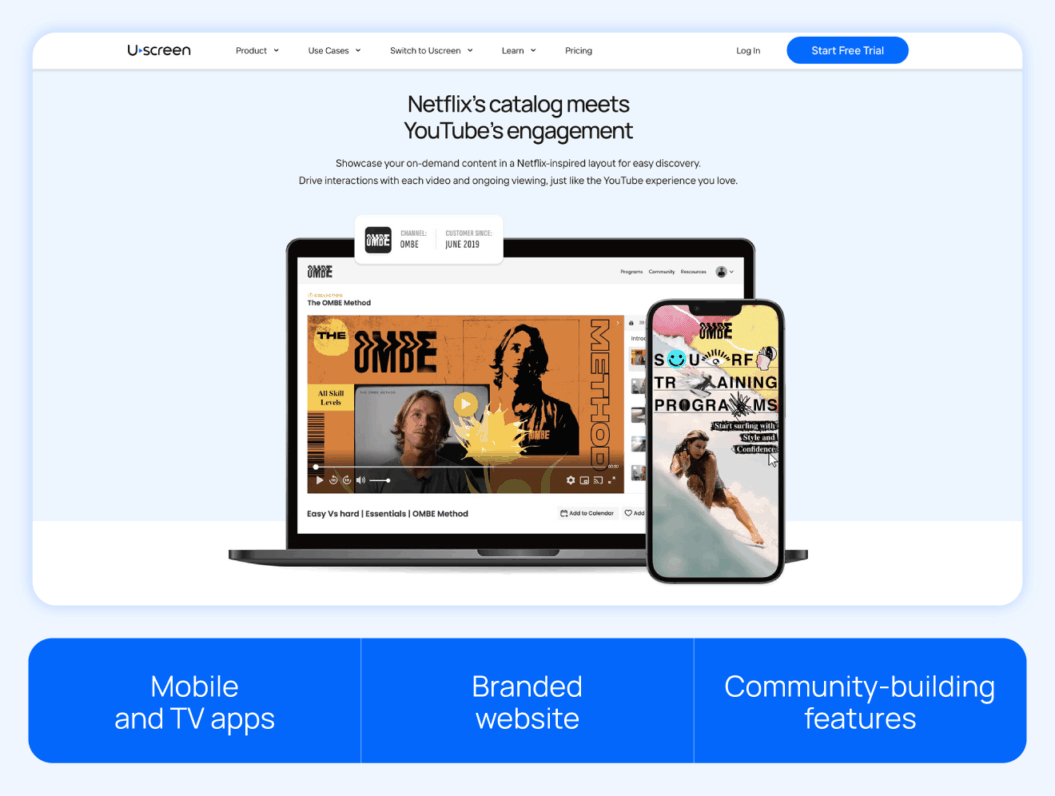
You can build stronger connections and keep your members coming back for more with live streaming and an active community. Branded membership apps make it simple for your members to stay engaged and keep up with their learning. And you’ll have full ownership of your audience and community so you can grow your business on your terms.
Pros
- All-in-one platform: Once you’ve signed up for Uscreen, you don’t need to patch multiple tools to run your membership. You can manage your content, community, and revenue streams in one place, so you can focus on growing your business.
- Netflix-style video experience: Uscreen’s video catalog makes it easy for members to browse, discover, and watch your videos or courses, providing a premium experience.
- Flexible monetization options: Earn the way you want by charging for streaming live events, premium memberships, one-time rentals, or even exclusive community access.
- Built-in community tools: You can create a dedicated space for your audience with discussion forums, live streams, and exclusive member interactions to build engagement and loyalty.
- Branded apps: Meet your customers where they are by launching your own mobile and TV apps. Our research shows that apps lower your monthly churn by 15% and increase watch time by 25%, keeping your members engaged longer.
Cons
- Not suitable for beginners: Uscreen works best if you already have an audience and a library of content. It’s designed to help you maximize the value of what you’ve built and grow even further.
- Initial setup requires time and effort: Because the platform is built for creators who are serious about their membership business, it requires slightly more time and effort in the initial stages. But when you switch to Uscreen, our migration team works closely with you to transfer your content, community, and data seamlessly.
- Focused on video and community: While Uscreen doesn’t offer niche course features like quizzes or compliance tracking, its strength lies in helping you monetize your videos and build a thriving community.
Migratability
We know switching platforms is daunting — Uscreen’s migration team ensures a seamless process so you can focus on your content. We have a dedicated migration team to assist creators in transitioning from other platforms.
The process typically takes between 30 and 60 days, depending on whether you’re migrating a website only or including apps. Our team handles the technical aspects, ensuring a seamless experience for your customers.
Get a closer look at how customers switch to Uscreen.
A sneak peek into Uscreen
Felicity Wood Yoga is a thriving yoga membership built on Uscreen. Felicity decided to move to Uscreen after experiencing challenges with her previous platform, which allowed her to scale her business and offer a better user experience for her community of yogis.
Uscreen just offers so much more — for me and my members. The platform is easy to use, beautifully designed, and packed with features that make a real difference. The calendar helps people structure their practice, the community space keeps everyone connected, and tiered pricing helps me offer more value. It’s not just a content library anymore, it’s a complete membership experience.
Felicity Wood, Founder of Felicity Wood Yoga

The community feature increased member engagement by bringing together discussions and content sharing on Uscreen’s desktop and mobile apps. Members can access it anytime, anywhere, and push notifications make sure everyone stays in the loop.
Moderators can control who joins based on their membership level and can set up private or public channels as needed.
It offers so much more than before, not just because of the content, but because of the experience I’ve been able to build around it. The past few years were about laying the foundation. Now, it’s time to grow and I know I have the right tools and support to do that.
Felicity Wood, Founder of Felicity Wood Yoga
Uscreen’s live streaming platform enables direct streaming from your device, eliminating the need for third-party software. It supports streaming across various devices, including web, mobile, and OTT live streaming in full HD, using multi-bitrate adaptive technology to ensure consistent viewing quality.
Beyond this, you get an easy-to-use content management system (CMS) that lets you easily upload, organize, and publish video content. You can also build landing pages, set up email broadcasts, launch giveaway funnels and gift cards, and run subscription upsell marketing campaigns.
Uscreen also combines Automations, Email Broadcasts, and a built-in member CRM so creators can manage the full member lifecycle without leaving the platform. Behavior-based workflows trigger personalized email sequences, while advanced segmentation ensures the right message reaches the right person at the right time. And it works! Uscreen customers who use automations have 5.5x more viewers and 4x more watch time than those who don’t.
The Member CRM gives a centralized view of leads and members, tracking engagement, purchase history, and communication in one place — making it easier to convert, retain, and build stronger relationships at scale.
Review
While Uscreen makes it super easy to learn their platform, you have to spend a decent amount of time hunting and pecking away at the interface to truly grasp what features are available to you and, especially if you’re evaluating against another platform, what’s not there.
Jeremy H., Verified G2 Reviewer
Pricing
- Starter plan: $49/month (only available as a monthly plan)
- Growth plan: $149/month (plus $1.99 subscriber fee), billed annually
- App Essentials plan: $449/month (plus $0.99 subscriber fee), billed annually
- Custom plan: Custom pricing; contact sales
Refer to the Uscreen pricing page for more details.
Build, launch and manage your membership, all in one place.
2. Kajabi
Best for: Online digital courses
G2 rating: 4.1 out of 5 stars
Kajabi is a great membership site platform, especially if you’re looking to create and launch the best video course platforms or digital products. It offers a strong marketing funnel that complements these courses/products.

You can easily customize your website, courses, emails, and the works to match your brand without extensive coding knowledge. Plus, you get detailed analytics on your courses, memberships, and sales.
Pros
- All-in-one platform: Kajabi has everything you need to create, market, and sell courses and memberships — all in one place. No need for third-party tools, which makes managing your membership site way easier!
- Built-in marketing tools: Kajabi’s got your marketing covered with email marketing, automated campaigns, sales funnels (they call them Pipelines), and advanced segmentation. These tools will help you get the word out and grow your membership.
- Mobile accessibility: Ensure members can connect and learn on the go with a user-friendly mobile app.
- Strong support and community: You’ll have access to tons of resources, including help centers, community forums, and regular training webinars.
Cons
- Specialized focus: Primarily tailored for courses and coaching, Kajabi might not suit those looking to develop different types of membership sites.
- Premium pricing: Kajabi’s premium pricing may be a barrier for newcomers or those with limited budgets.
- Customization limits: Despite its range of options, Kajabi’s customization capabilities may not satisfy those seeking highly unique designs or specific functionalities.
- No native forum support: The platform lacks traditional forum tools, essential for detailed, threaded discussions.
For more options, we’ve shared some additional tools in our Kajabi alternatives guide.
Migratability
Kajabi has a bunch of resources, like guides and tutorials, to help you move your content and members from other platforms. They don’t have a specific team for this, but their resources can guide you through it. Your migration might be a bit tricky depending on your current setup.
If you’re interested, we’ve shared our extensive analysis about whether or not Kajabi is worth it.
Review
It truly is a comprehensive, all-in-one solution with everything we need for a digital product business (website, landing pages, marketing automation, easy integration with Meta CAPI for tracking FB ads, upsells/downsells that boost AOV).
Jonathan W., Validated Reviewer
Kajabi pricing
- Basic: $143/month, billed annually
- Growth: $199/month, billed annually
- Pro: $399/month, billed annually
3. Vimeo Streaming (formerly Vimeo OTT)
Best for: Basic membership features
G2 rating: 4.3 out of 5 stars
Vimeo Streaming is known for its video on demand (VOD) streaming and ability to build and launch well-designed, branded OTT channels with high-quality playback. Vimeo Streaming also supports different ways to make money, like subscriptions, rentals, and one-time purchases, so you can choose what works for you. It’s also one of the best website builders for subscription services.
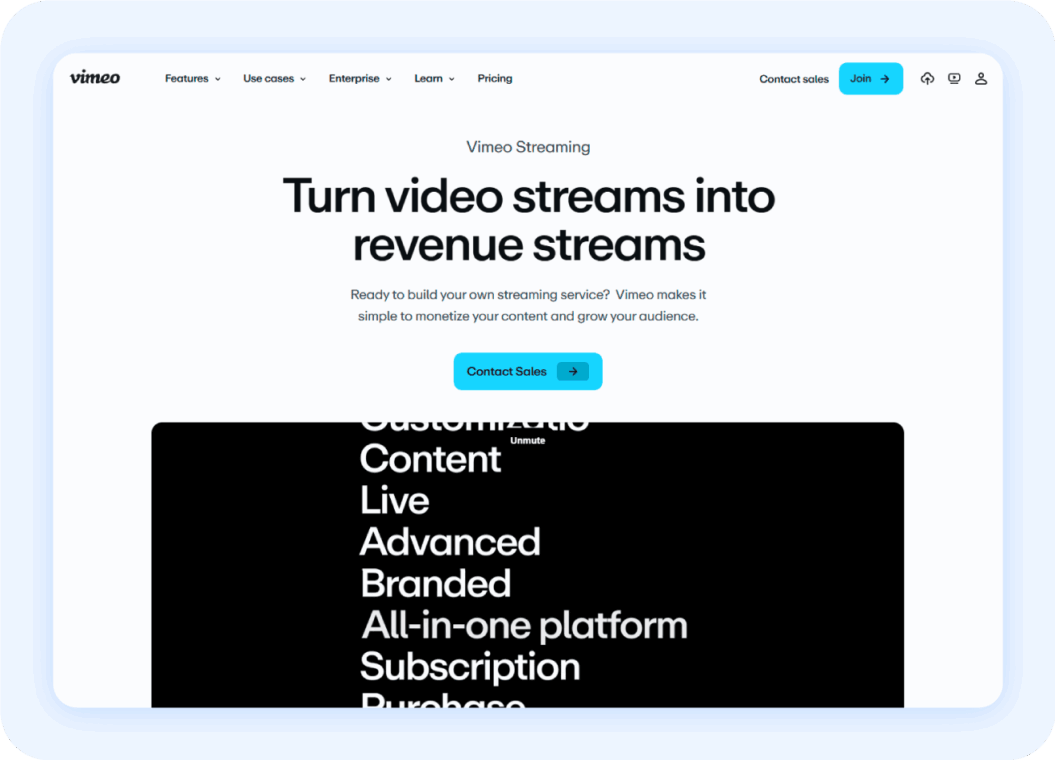
You also get advanced video analytics to see how viewers interact with your content. Plus, it has live streaming with chat, so you can get your viewers involved in real time.
Pros
- Easy setup: Getting your membership site up and running is fairly straightforward. Vimeo Streaming guides you through the process, and you don’t need to be a tech wizard to figure it out.
- Integrated payment processing: Vimeo Streaming handles payments and subscriptions, so you don’t need to set up a separate system.
- Marketing tools: They offer some basic marketing features like coupons and email capture forms to help you grow your audience.
- Branded apps: This is a big plus for branding. You can create apps for mobile and TV platforms (like iOS, Android, Roku) that have your own branding, not Vimeo’s.
Cons
- Limited customization: While you can customize your site, the options are somewhat limited, especially on the lower-priced plans. This can be frustrating if you have a very specific vision for your membership site’s design.
- Customer support can be lacking: Several users report slow response times and sometimes unhelpful support from Vimeo Streaming. This can be a major pain point when you’re dealing with technical issues or need quick assistance.
- Expensive pricing: While the starter plan is affordable, the price jumps significantly if you need more features or have a large number of subscribers. This can make it less appealing for creators who are just starting out or have a limited budget.
- App limitations: The mobile and TV apps are functional, but they can be a bit clunky and lack some features that users might expect.
Be sure to check out our guide on Vimeo OTT alternatives for more options.
Migratability
Vimeo Streaming helps creators move from other membership website software by transferring their content and subscriber data. This way, they try to make the switch as smooth as possible. They don’t share specifics about how the migration works or how long it takes, so it’s best to contact their support for the details.
Compare Uscreen vs. Vimeo OTT to get an idea of what’s better suited for your membership needs.
Review
The lightweight and responsive player, which doesn’t have a lot of overhead when loading, makes it user-friendly. I like the basic and straightforward UI, and the customization features are particularly beneficial for matching different branding styles on my sites.
Justin A., Validated Reviewer
Pricing
- Starter: $1/subscriber/month (unlimited bandwidth) + upload and transaction fees
- Enterprise: Contact team
4. Circle
Best for: Community interaction
G2 rating: 4.7 out of 5
Circle is a community-first membership platform built for creators and businesses that want meaningful interaction, not just content delivery. It works well for memberships centered around discussion, live events, and peer connection, with monetization tools layered on top.
Creators use Circle to host paid communities, courses paired with discussion, and subscription-based groups. If your goal is to bring people together around shared interests, coaching, or education, Circle is worth considering.

Pros
- Strong community tools: Circle offers chat, discussion spaces, live events, and messaging that help members connect and stay active. This makes it a good fit for community-led memberships.
- Flexible monetization: You can create multiple membership tiers, subscriptions, and gated spaces, giving you control over how and what you charge.
- Clean member experience: The interface is simple and intuitive, which reduces friction for new members and improves engagement.
- Extensive integrations: Circle connects with thousands of popular tools, making it easier to automate workflows without relying on custom code.
Cons
- Limited advanced B2B features: Circle does not yet support complex team-based memberships or multi-user bundles, which can be limiting for B2B or enterprise-focused communities.
- No native course certificates: If you need built-in course completion certificates for educational programs, you may need a workaround or third-party tool.
- Fewer event-specific tools: Hosting large virtual conferences or multi-track events may require additional platforms or integrations.
- Feature depth varies by use case: While Circle covers many core needs, some advanced functionality depends on integrations or future product updates.
Migratability
Circle is easy to learn and designed to reduce friction during setup and migration. The platform offers fully managed migrations, where course structures, lessons, and files move over without manual work. This process happens behind the scenes, so members don’t lose access or experience downtime.
Creators can migrate content from platforms like:
- Kajabi
- Teachable
- Thinkific
Once Circle receives the required information, migrations typically finish within a few weeks, depending on content volume. By consolidating community, payments, and content into one platform, Circle helps simplify your tech stack and improve engagement after the move.
Review
The Circle team is the most amazing part! They are online and interacting with community builders and help us learn and grow. And the community builders are also an incredible source of information and inspiration.
Paul C., Validated Reviewer
Pricing
- Professional: $89/month, billed annually
- Business: $199/month, billed annually
- Enterprise: $419/month, billed annually
- Plus Branded App: Custom pricing
5. Mighty Networks
Best for: Branded, community memberships
G2 rating: 4.6 out of 5 stars
Mighty Networks takes a unique approach by putting community at the heart of everything. You can host virtual events, run challenges, create activity feeds, and foster discussions.
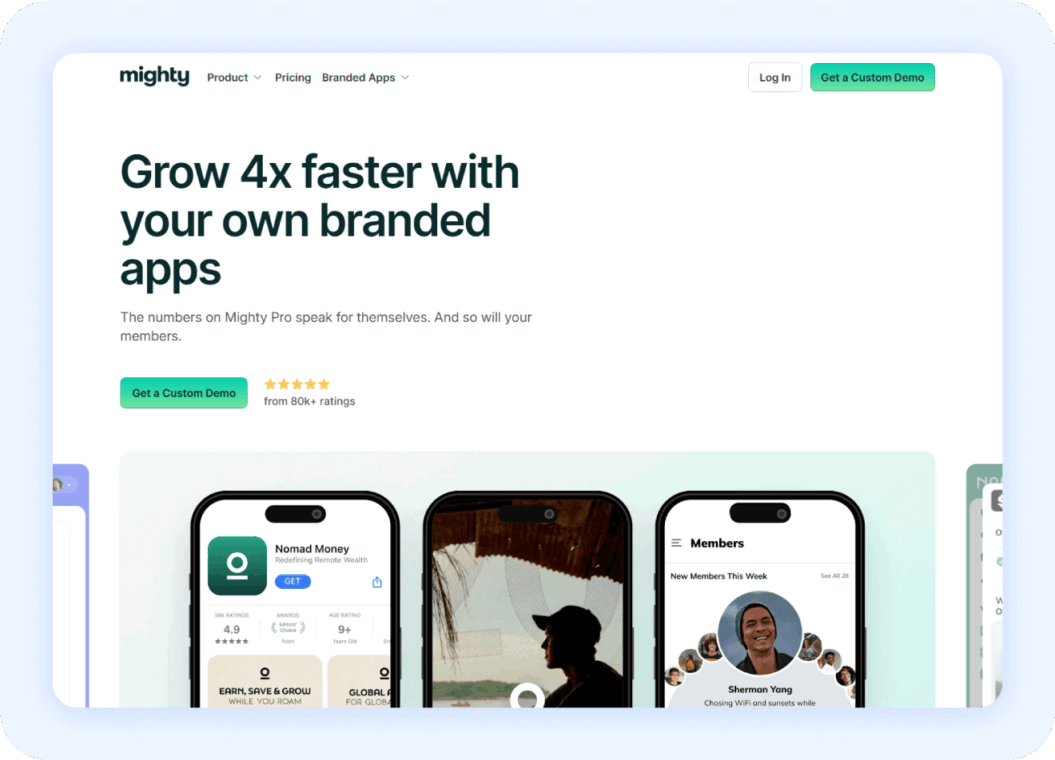
It supports live streaming, events, member directories, unlimited subgroups, and sophisticated engagement tools that make your community feel alive and dynamic. Members can even build their own profiles, find others with shared interests, and form meaningful connections.
If community sits at the core of your business, and is not just a nice-to-have feature, Mighty Networks is a good membership site platform to choose.
Pros
- Advanced engagement tools: Built-in features for live events, challenges, polls, and discussions help keep members active and connected. Members can create their own profiles, form connections, and even run their own groups within your community.
- Native mobile app: Members can access your community through branded iOS and Android apps, making engagement more accessible and frequent.
- Flexible monetization options: You can charge for the overall community, specific groups, courses, or events separately. This flexibility lets you create multiple revenue streams and test different offerings within one platform.
- Event hosting and live streaming: Whether it’s a virtual meetup or a live Q&A, Mighty Networks allows you to organize and run events directly on the video membership platform, enhancing real-time engagement.
Cons
- Limited content delivery: While you can host courses and content, the features aren’t as robust as dedicated course platforms. Content organization and delivery options are more basic compared to education-focused alternatives.
- Limited integrations: While it integrates with tools like Kit (formerly ConvertKit) and Stripe, the overall integration options are fewer compared to some competitors, which might limit workflows for creators who rely on multiple tools.
- Higher price point: The platform’s more advanced features and mobile app capabilities come at a premium price, which might be challenging for creators just starting out. We’ve rounded up some Mighty Networks alternatives if you need more cost-friendly options.
- Steeper learning curve: The abundance of community features and engagement tools means more complexity in setup and management. It requires more active moderation and strategy to make the most of the platform’s capabilities.
Migratability
Mighty Networks allows creators to build communities and courses, but detailed information about migrating existing content from other platforms is not extensively covered. The process may involve manual data transfer, and reaching out to their support team can offer more personalized assistance.
Review
I really appreciate Mighty’s personal approach and the easy access to their entire team through the Mighty Community. They are always working to improve the platform, regularly updating it to address user needs and respond to feedback.
Jennifer L., Validated Reviewer
Mighty Networks pricing
- Launch Plan: $79/month, billed annually
- Scale Plan: $179/month, billed annually
- Growth Plan: $354/month, billed annually
- Mighty Pro: Custom pricing
6. Thinkific
Best for: Educational content creators
G2 rating: 4.5 out of 5 stars
Thinkific is more aligned for educational creators who focus heavily on courses. They’ve got a fantastic course builder that lets you create assignments, question banks, and certificates.
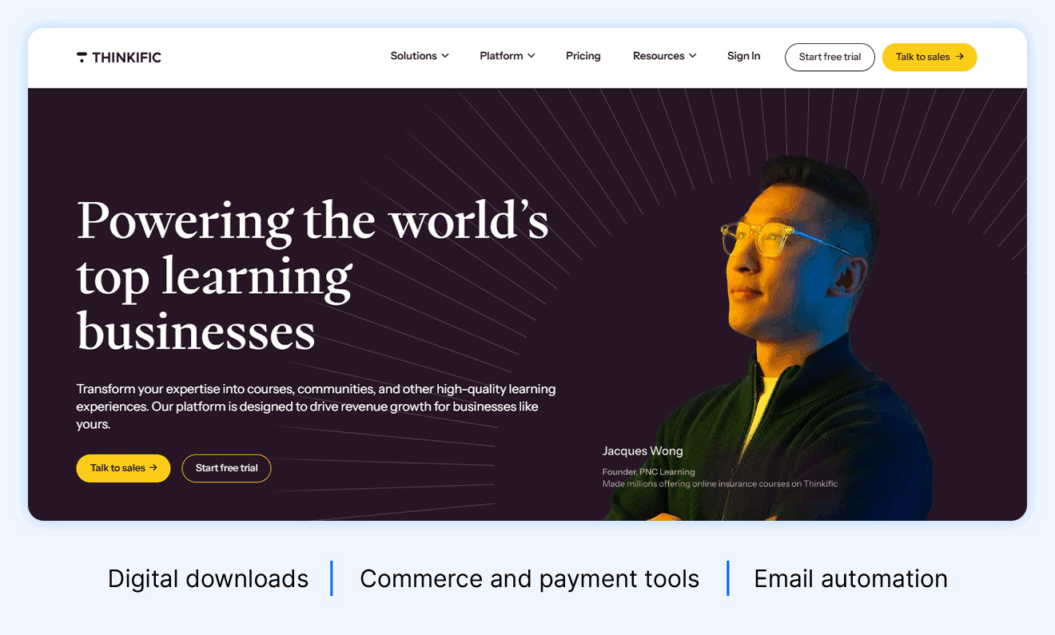
You can upload various content types (videos, audio files, PDFs, quizzes, and more). Plus, you can set up recurring subscriptions to your members.
Reasons to try Thinkific
- Integrated with course platform: If you’re already using Thinkific for courses, adding a membership component is seamless. You can easily bundle courses into membership tiers and manage everything within a single platform.
- Content gating and drip scheduling: You can control access to your membership content, releasing it gradually over time to keep members engaged and coming back for more.
- Customization options: You can customize the look and feel of your membership site with different themes and branding options to match your overall aesthetic.
- Marketing and sales tools: Thinkific provides marketing tools like email marketing, coupons, and upsells to help you promote your membership and grow your audience.
Reasons to avoid Thinkific
- Limited community features: While Thinkific offers basic community features, they might not be as robust as dedicated community platforms, especially if you’re looking to foster deep engagement and interaction among your members.
- Less focus on membership-specific features: Thinkific’s primary focus is on courses, so some membership-specific features might be less developed compared to dedicated membership platforms.
- Pricing: Thinkific’s pricing can get expensive, especially if you need access to all the features and have a large number of members.
- Transaction fees: Thinkific charges transaction fees on their lower-tier plans, which can eat into your profits, especially when you’re just starting out.
Migratability
Thinkific supports migrations from other platforms by offering bulk student import and enrollment. They also provide resources to help you migrate your courses and connect third-party tools.
However, there’s limited information on migrating existing memberships, and you’ll likely be responsible for transferring your actual course content.
Thinkific pricing
- Basic: $36/month, billed annually
- Start: $74/month, billed annually
- Grow: $149/month, billed annually
- Thinkific Plus: Contact sales
7. Podia
Best for: Budget-conscious course creators
G2 rating: 4.6 out of 5 stars
Podia is a one-stop shop for managing your website, products, and emails. You can easily create different membership levels with various perks, schedule content in advance, and interact with your members through email marketing tools.

Podia’s dashboard is clean and well-organized, making it easy to navigate the platform’s features. You can quickly access your products, sales data, email marketing tools, and community settings from the main dashboard.
Podia is also a great video hosting site with unlimited uploads, downloadable files, product bundling, and community engagement. You can integrate payment gateways like Stripe and PayPal for hassle-free transactions, and the best part is, Podia doesn’t charge any transaction fees.
Pros
- All-in-one solution: Podia has courses, downloads, webinars, email marketing, and community features all together. This means you don’t need to pay for multiple subscriptions, which makes things easier to manage and better for your members.
- Zero transaction fees: Podia doesn’t charge extra transaction fees besides the standard payment processing fees. This clear pricing helps you know exactly how much money you’re making, especially as your membership grows.
- Built-in email marketing: The platform has email marketing tools built-in, so you can manage member communication, automated emails, and marketing campaigns without needing extra software.
- Flexible content delivery: Podia works with many content formats and has different ways to share content. You can drip-feed content, schedule posts ahead of time, and create special content just for members. This keeps things interesting and gives members what they want at every membership level.
Cons
- Higher starting price point: While the all-in-one approach is great, it means you’ll be paying for a full suite of tools even if you only need a few of them. The pricing also starts higher than some competitors, which might be a concern if you’re just starting out or testing their membership concept.
- Basic community features: Though functional, the community tools aren’t as sophisticated as dedicated membership platforms. If you need an advanced community management feature, you might find the offerings somewhat limited.
- Learning curve for all features: The comprehensive nature of the platform means there’s more to learn initially. Some creators might find it overwhelming if they only need basic membership functionality.
- Limited customization options: While you can brand your membership space, the customization options aren’t as extensive as some specialized platforms. This might be limiting for creators who want highly unique or branded experiences.
Migratability
Podia offers a free migration service for new customers who sign up for their Mover or Shaker plans. They’ll transfer your online courses, digital downloads, subscribers, email campaigns, and other important stuff from your old platform to Podia.
Podia’s team handles the migration process, aiming to make the switch smooth and with minimal disruption to your business. But, remember that this service is only available after you’ve subscribed to a paid plan, and what they can migrate may depend on the complexity of your content and how much you have.
Review
Easy to use. To build a site, a landing page, a course can go really fast. It looks good, clean and it’s also user-friendly for clients. I moved from a WordPress site because it’s easier with Podia, no need for updates or solving problems and, in the end, it isn’t that much more expensive (if it actually is).
Raquel D., Validated Reviewer
Pricing
- Podia Email: Free for fewer than 100 subscribers
- Mover: $33/month, billed annually
- Shaker: $75/month, billed annually
8. Teachable
Best for: Online coaching
G2 rating: 3.9 out of 5 stars
Teachable is built with a strong focus on creating and selling online courses. From a membership POV, it supports video uploads, community engagement, content scheduling, course bundles, and multiple membership tiers. It also includes essential features like quizzes, certificates, and automated content delivery to improve your members’ experience.
Building your membership site on Teachable is also straightforward. You can create different membership tiers, set pricing, and control access to your content. However, the membership features are fairly basic compared to dedicated membership platforms.
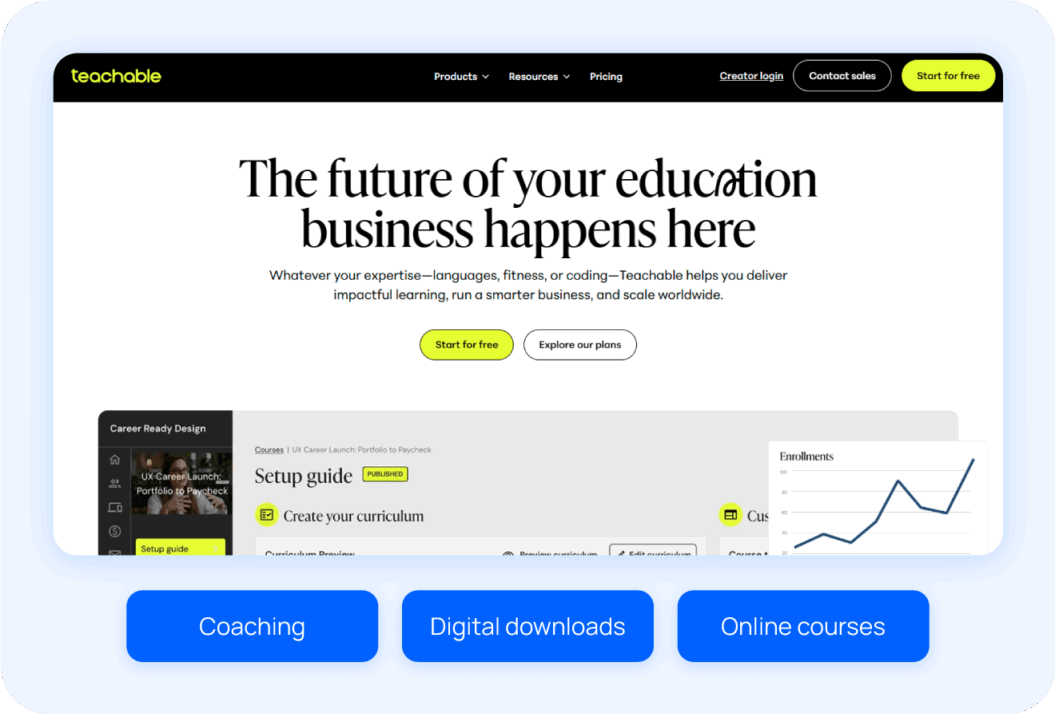
Overall, Teachable is great if you’re looking to create a membership centered around courses and structured learning.
Want to see how Teachable stacks against other popular platforms? Check out our extensive analysis on the top Teachable alternatives.
Pros
- Free plan to start small: Teachable’s free plan is a great way to test the platform without any upfront investment. You can sell one course, one coaching product, and one digital download — perfect for trying out your membership idea before committing.
- Built for coaches: The platform comes with tools tailored for coaches, like intake forms, annotatable files for feedback, and built-in Calendly integration for easy scheduling, making it an excellent option for those offering coaching memberships.
- Guided course launch support: The Launch Accelerator, included in all paid plans, provides step-by-step guidance on planning, creating, and promoting your membership or course. It’s especially useful for first-timers.
- Diverse content options: Teachable allows you to add a variety of content types — video, audio, text, images, and quizzes — to lessons. This flexibility helps keep memberships engaging and dynamic, especially if your focus is on education.
Cons
- Lacks advanced membership tools: Features like live streaming, branded mobile apps, and detailed analytics aren’t available, making it less appealing for creators focused on dynamic, interactive memberships.
- Transaction fees on lower plans: The Starter plan includes a 7.5% transaction fee, which can cut into your earnings, especially if you’re just starting out. Higher-tier plans don’t have this issue.
- Limited community engagement: While Teachable offers basic tools like comments and discussions, it doesn’t provide advanced community-building features like live chats, member forums, or gamification.
- No live streaming: If you’re a fitness instructor or host live workshops, Teachable’s lack of native live-streaming capabilities can be a dealbreaker, forcing you to rely on external tools.
Migratability
Teachable does not offer a built-in migration tool for exporting courses to other platforms. Migrating from Teachable typically involves manually exporting your course content, student data, and other relevant information.
This process can be time-consuming and may require technical expertise to ensure data integrity during the transfer. Additionally, certain Teachable-specific features may not have direct equivalents on other platforms, necessitating adjustments or workarounds.
Review
Teachable makes it incredibly easy to transform your knowledge into a course you can sell. The editor is straightforward, setup is quick, and you don’t need any technical expertise to easily create something that looks professional.
Michael H., Validated Reviewer
Pricing
- Advanced: $309/month + 0% transaction fee, billed annually
- Starter: $29/month + 7.5% transaction fee, billed annually
- Builder: $69/month + 0% transaction fee, billed annually
- Growth: $139/month + 0% transaction fee, billed annually
9. MemberSpace
Best for: Adding memberships to existing sites
G2 rating: 4.7 out of 5 stars
Instead of building everything from scratch, MemberSpace gives you the tools to add memberships to your existing website. This means you can keep your current design and branding while adding members-only areas. It works with popular website platforms like WordPress, Squarespace, Wix, or even your own custom-built site.
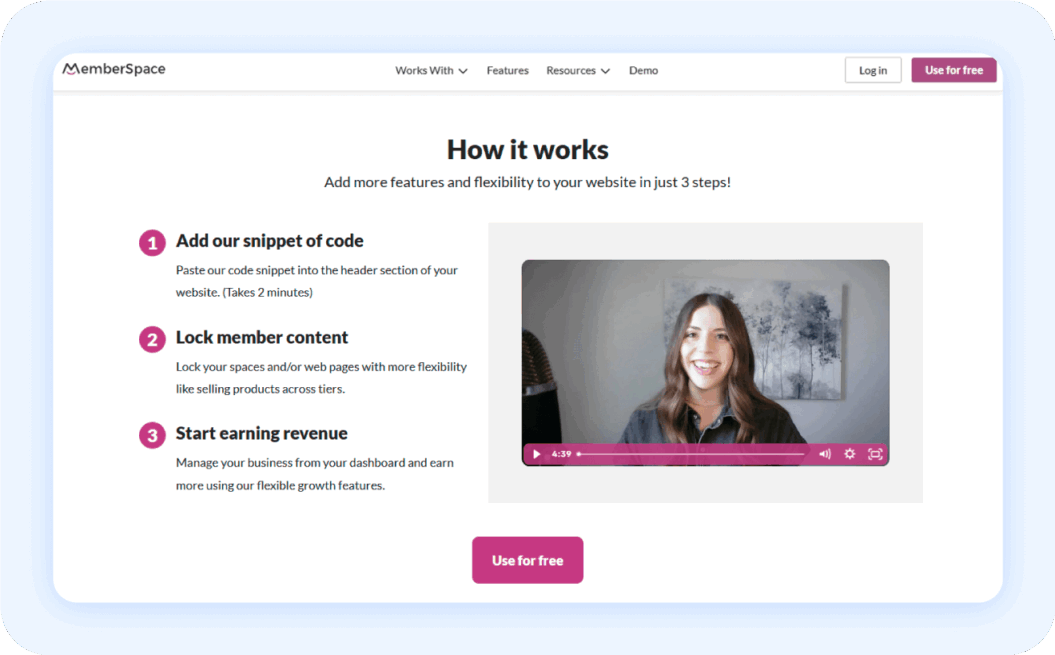
You can create flexible membership options, whether it’s free trials, paid plans, one-time purchases, or bundled packages to suit your audience. You can also lock up specific pages, posts, downloads, and videos to ensure only paying members get access to the good stuff.
And if you’re looking to grow, MemberSpace includes tools like coupons, upsells, and even affiliate programs to help you expand your membership base.
Pros
- Integrates with existing websites: MemberSpace works with platforms like WordPress, Squarespace, Webflow, and more, letting you add membership features without rebuilding your website.
- Customizable access control: You can easily gate content, drip-feed it over time, or restrict access based on member status, providing a personalized experience.
- Integrations for better workflows: MemberSpace connects with popular tools like Zapier, Stripe, and Mailchimp, streamlining tasks like automation, payment processing, and email marketing.
- Member management tools: Features like member analytics, exportable lists, and secure login controls help you keep your community well-organized and efficient.
Cons
- Not an all-in-one platform: If you need features beyond memberships, like built-in email marketing or a full-fledged course creation platform, you’ll need to integrate with other tools. This might involve managing multiple subscriptions and potentially a bit more technical setup.
- Limited design customization: While you can customize the member experience to some extent, MemberSpace prioritizes seamless integration with your existing website. This means you might have slightly less design flexibility compared to platforms that offer extensive customization options.
- Lack of mobile apps: Currently, MemberSpace doesn’t offer dedicated mobile apps for members to access content on the go. This might be a drawback if mobile accessibility is a priority for your audience.
- Limited video features: While MemberSpace supports video hosting, it may lack some advanced video-specific features found in dedicated video platforms, such as detailed analytics, interactive elements, or live streaming capabilities.
Migratability
MemberSpace can be added to your website without too much hassle, and it lets you add membership features without needing to rebuild your site from scratch.
They don’t have built-in migration tools, but their flexible approach means you can add the membership features to your current site without starting over. If you need help with specific migration strategies, you can reach out to their support team.
Review
MemberSpace is a great tool in general, but the customer service really stands out as top-notch. Very friendly and very responsive. We will absolutely recommend this service to our clients and friends.
Virginia B., Validated Reviewer
Pricing
- Starter: $39/month + 5% transaction fee, billed annually
- Growth: $99/month + 2% transaction fee, billed annually
- Unlimited: Contact team + 1% transaction fee, billed annually
10. Memberful
Best for: Turning sites into membership portals
G2 rating: 4.5 out of 5 stars
If you already have a website and want to layer memberships on top without overhauling everything, Memberful is worth a look. It’s designed for creators who want to keep control of their branding and content while adding the power of memberships, subscriptions, and community-building tools.
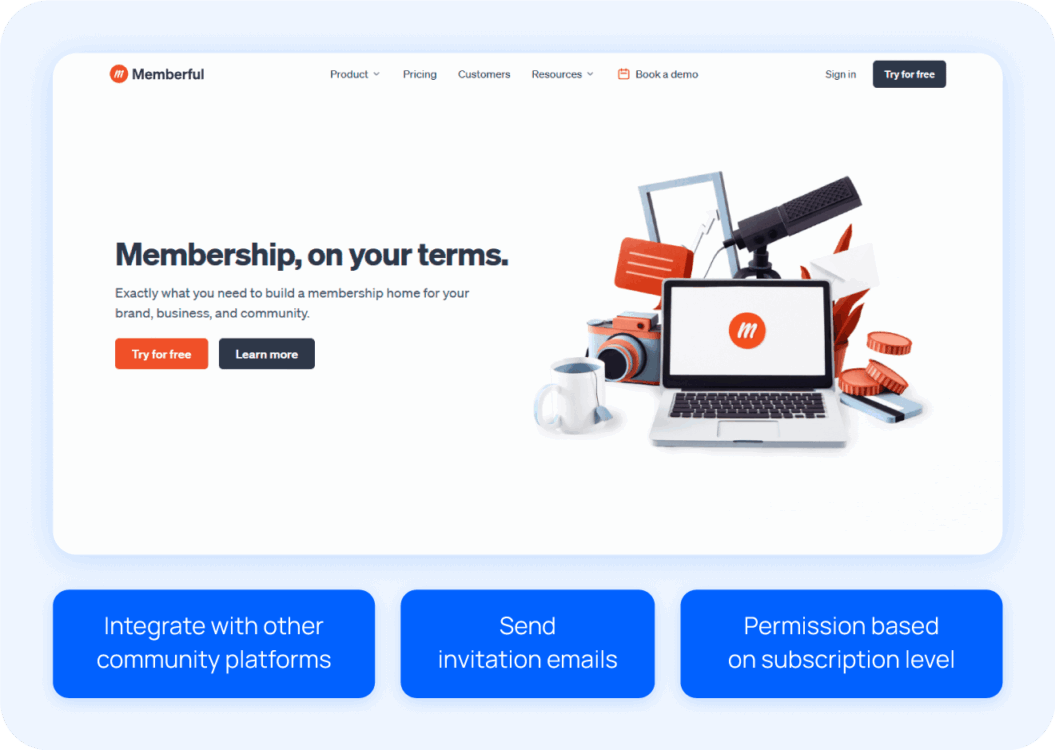
You can manage member accounts from a clean dashboard, sync your community with Discord, run multiple communities, sell premium content, and even launch a referral program to help your fans bring in more fans. It’s a great add-on-style tool for creators who don’t need an all-in-one course platform but still want to monetize their content.
Pros
- Straightforward pricing: Memberful is transparent about its pricing and offers a simple $49-per-month plan.
- Website builder: If you don’t already have a website, Memberful offers a lightweight site builder so you can get started without having to use a third-party platform.
- Preview mode: You can show non-members a sneak peek of your content, which is a smart way to drive sign-ups without giving everything away for free.
Cons
- Integration overload: Memberful leans heavily on third-party tools, which can be a challenge if you’re hoping for an all-in-one solution. Managing all the moving parts can get complicated fast, especially for creators without a technical background.
- No course feature: If online courses are a big part of your business model, you’ll need a workaround. Memberful doesn’t offer native course-building tools; you’ll need to use something like LearnDash for that.
- Lacks a password sign-in: Members sign in through a link sent to their email, which can feel a little clunky compared to traditional logins.
Take a look at these Memberful alternatives for more options.
Migratability
Memberful offers a free, human-supported migration service, making it easy to bring your audience over from platforms like Substack or Hype. If you’re not super tech-savvy or just want a white-glove experience, their team will help ensure your migration is smooth and stress-free.
Review
From the very beginning, without any commitment yet on my part, they helped me feel so confident in my decision to move platforms. Their response time was (and continues to be) lightning fast, their interactions are warm and personable, and you can tell that they care.
Jessica Z., Validated Reviewer
Memberful pricing
- $49/month; free trial available
11. MemberPress
Best for: WordPress users
G2 rating: 4.6 out of 5 stars
MemberPress is a powerful WordPress membership plugin built for creators and businesses that want full control over their site. It works best for users who already run on WordPress and want to add paywalls, subscriptions, and gated content without switching platforms.
Creators use MemberPress for online courses, coaching programs, community-driven memberships, and B2B subscriptions. If you want to monetize content directly on your WordPress site and manage recurring revenue from one place, MemberPress is worth considering.
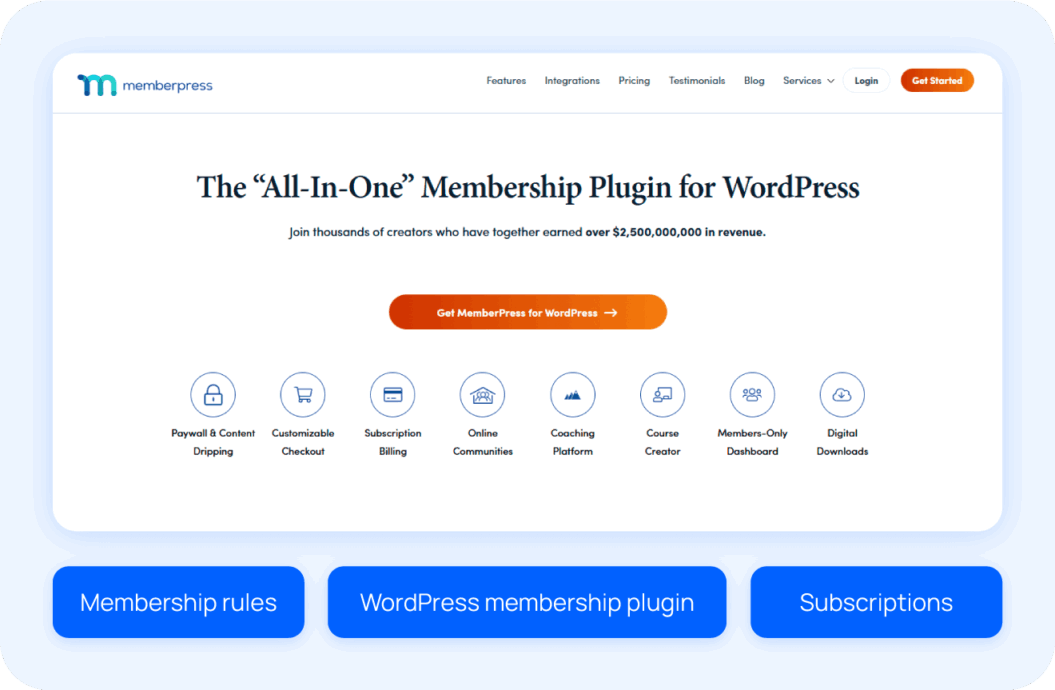
MemberPress gives you granular control over who can access what. You can set up content rules, drip schedules, and expiration dates, then pair them with flexible payment options. It also supports courses, forums, member directories, and upsells, making it a versatile option for WordPress-based membership sites.
Pros
- Deep WordPress integration: MemberPress works seamlessly inside WordPress, making it a natural fit for existing sites that want to add memberships and subscriptions.
- Flexible content control: You can create detailed access rules, drip content over time, and expire access automatically, which supports many membership models.
- Built-in courses and coaching tools: The platform supports online courses, coaching programs, and community features without requiring a separate LMS.
- Strong monetization features: Order bumps, coupons, bulk memberships, and recurring billing help increase revenue and support B2B use cases.
Cons
- Learning curve for new users: With many features available, it can take time to understand what MemberPress offers and how to configure it properly.
- Limited design customization: Branding and layout changes often require custom CSS or additional plugins, which may be challenging for non-technical users.
- Advanced features cost more: Some capabilities, such as gifting or certain payment gateways, are only available on higher-priced plans.
- Registration forms need customization: Native forms are basic, and many users rely on third-party form tools for a better signup experience.
Migratability
MemberPress makes it relatively easy to move from another membership or learning platform. The MemberPress Importer add-on allows you to transfer features like:
- Members
- Subscriptions
- Content from other plugins or platforms
For WordPress users, this process helps preserve existing data and avoid rebuilding your site from scratch. While setup still requires some technical skill, the migration tools reduce friction and make MemberPress a practical option for creators who want to consolidate memberships and courses inside WordPress.
Review
I appreciate how easy it is for me to create courses and programs, and I enjoy having a wide range of options for customizing their appearance.
Kristine Maria Almas K., Validated Reviewer
Pricing
- Launch: $199.50 + transaction fees, billed annually
- Growth: $349.50, billed annually
- Scale: $499.50, billed annually
Other platforms for building a membership site
Some creators opt to build a membership site using a content management system (CMS) rather than a dedicated membership site platform.
These options work best for tech-savvy users who feel comfortable managing plugins, updates, and integrations. Most require additional themes or third-party tools to unlock full membership functionality.
- WordPress: WordPress gives you full control over your site, but it relies on plugins like MemberPress, Memberful, or WooCommerce Memberships to manage subscriptions. You may also need video hosting, security plugins, and custom themes to create a polished member experience.
- Wix: Wix includes basic membership features out of the box, making it easy to launch quickly. However, advanced features like gated video libraries, community tools, and scalable monetization often require third-party apps or custom workarounds.
- Squarespace: Squarespace supports member areas and paid content, but customization options are limited. Creators typically add external tools for payments, community, or course delivery to meet more complex needs.
- Webflow: Webflow offers design flexibility but doesn’t include native membership functionality. Building a membership site usually requires integrations with tools like Memberstack or Outseta, which adds complexity and ongoing costs.
When comparing a membership CRM vs. membership platform, CMS-based setups often act more like a membership CRM — they help you manage members, subscriptions, and analytics, but you have to integrate other tools to handle content, video hosting, and community. A dedicated membership site platform, on the other hand, combines all these features into one solution, letting creators focus on content, community, and growth without the extra technical overhead.
How to choose the best platform for a membership site
Okay, so you’re ready to launch your awesome membership site, but with so many platforms out there, how do you pick the right one? It’s kind of like choosing the right pair of shoes — it needs to fit your needs and style.
Here’s the lowdown:
1. Know yourself (and your audience)
Find this out by asking:
- Who are you? Are you just starting out, or are you a seasoned creator with a massive following? Are you a tech whiz, or do you prefer things to be simple and straightforward?
- What’s your jam? Is your content mostly videos, online courses, written articles, or a mix of everything? Do you want to build a tight-knit community, or is your focus more on delivering top-notch content?
- Who are you talking to? Who’s your ideal member? What are they interested in, and what kind of experience are they looking for?
Carmen Salazar, Onboarding Specialist at Uscreen, states that defining your membership value proposition is essential in this stage.

Clearly outline what makes your offering unique. This will shape your homepage messaging and marketing communications.
This will not only help you choose which platform can support your offerings, but it will also shape your homepage messaging and marketing communications once you start building your platform.
Watch our quick platform demo to see how Uscreen can help you monetize your videos and grow your audience.
2. Set your goals
Before you choose a platform, get clear on what you want your membership site to do. Your goals will shape everything from the features you need to the type of platform that makes the most sense. Think about whether you’re building a one-off program or a long-term business.
Next, decide what you want to sell and how members will engage:
- Short-term fling or long-term relationship? Is this a one-off project, or are you building something you want to scale and grow over time?
- Content is king, or community is queen? What’s your priority? Some platforms are better for content delivery, while others excel at community engagement.
- Need all the bells and whistles? Do you need advanced features like gamification, interactive elements, or marketing automation?
If you’re deciding between courses and ongoing memberships, this guide breaks down the key differences and can help you choose the right model.
Finally, consider how advanced you want to go. Features like gamification, interactive content, automation, and marketing tools can boost engagement and retention, but only if they align with your goals. The best membership site platform supports what you want to build today while leaving room to grow tomorrow.
3. Assess core features
Start by looking at the features you actually need to run and grow a membership site. The best membership site platform should support your content, your members, and your revenue goals without relying on constant add-ons.
Look for essentials like:
- Content hosting and protection, especially for video
- Flexible access controls for tiers, bundles, and drip content
- Built-in community tools to keep members engaged
- Analytics and reporting to track growth and retention
- Native mobile apps to improve the member experience
Platforms like Uscreen combine these features in one place, which reduces complexity and gives you more control as your membership grows.
4. Accommodate your tech savviness
Be honest about how hands-on you want to be. Some platforms require you to manage plugins, updates, hosting, and security on your own. Others handle the technical work for you.
If you enjoy customizing themes and managing a CMS, a plugin-based setup may work. If you want to focus on creating content and serving members, an all-in-one membership site platform can save time and reduce headaches.
Your comfort level with tech should guide your choice just as much as features or price.
5. Consider payment and pricing options
How you charge members directly affects your revenue. Look for platforms that support multiple pricing models so you can test what works best for your audience.
Common options include:
- Monthly or annual subscriptions
- One-time payments for lifetime access
- Free trials or freemium tiers
- Upsells and add-ons
The right platform makes it easy to experiment with pricing and maximize lifetime value without needing extra tools. Learn more about monetization strategies in our guide to how to make money with membership sites.
6. Evaluate integrations
Your membership site should work smoothly with the tools you already use. This might include:
- Email marketing software
- Analytics platforms
- CRMs
- Payment processors
Some platforms rely heavily on third-party integrations, while others offer built-in tools that reduce the need for external software. Choosing a platform with strong integrations or native features can simplify your workflow and keep your tech stack manageable.
7. Look into marketing tools
Growing a membership site takes more than great content. Built-in marketing tools can help you attract new members and keep existing ones engaged.
Key tools to look for include:
- Email automation and notifications
- Coupons, discounts, and free trials
- Landing pages and checkout optimization
- Referral or affiliate programs
When these tools live inside your platform, it’s easier to launch campaigns quickly and track what’s working.
8. Prioritize scalability
Your platform should grow with you. What works for 50 members may not work for 5,000.
A scalable membership site platform supports:
- Increasing content libraries
- Higher traffic and streaming demand
- Multiple membership tiers
- International payments and currencies
Choosing a scalable platform early helps you avoid painful migrations later and sets you up for long-term success.
Choose the best membership site for your brand
Whether you’re launching your first membership site or looking to upgrade from your current platform, choosing the right tool comes down to one thing: alignment.
By really understanding your goals, your audience, and your technical comfort level, you can find the platform that’s the perfect fit for your membership site. It’s all about finding that sweet spot where the platform’s strengths align with your vision and help you achieve your goals.
Start your free trial with Uscreen and see how easy it is to launch, grow, and monetize your membership site.

A note on our methodology
We believe in radical transparency, so let’s address this upfront:
Yes, we’re a membership site platform ourselves, which might make you wonder about the objectivity of our recommendations. That’s a fair concern! Here’s our position: Our success is directly tied to creator success — your success.
When creators thrive, their fans are happier and the entire ecosystem benefits. That’s why we’ve taken a methodical, evidence-based approach to these recommendations, drawing from:
- In-depth reviews from industry experts and trusted tech publications
- Direct interviews with creators who have used multiple platforms
- Survey data from creators about their platform experiences across different business types
- Our decade-plus of industry expertise working with successful creators
We don’t believe in generic “best to worst” rankings because each platform excels at something specific. Sometimes Uscreen will be the right fit, and sometimes it won’t be — we’ll be direct about that. Because proper user-product matches create thriving creators, and that’s what ultimately matters.
Membership Site Platform FAQs
For beginners, Uscreen offers one of the best balances of features and affordability. You get all the essential tools to launch and grow your membership site without paying for extras you don’t need.
There’s no one-size-fits-all answer! The best platform depends on your needs, budget, and focus. Consider factors like content types, community features, marketing tools, and ease of use.
Choose your platform, plan your membership tiers and content, set up payment processing, and customize your site’s design. Then, start promoting your membership and engaging with your members!
Do membership sites make money?
Yes, membership sites can make money. To do this, offer valuable content, build a strong community, and explore different monetization options like recurring subscriptions, tiered memberships, one-time sales, and exclusive member benefits.